


Are you a member of more than one ChatBot account? You can easily switch between your ChatBot teams with just a few clicks.
How to switch teams?
Click on your profile picture in the left bar (1). Then, click on the Switch to another team button (2). Choose the available team to switch to that account (3).
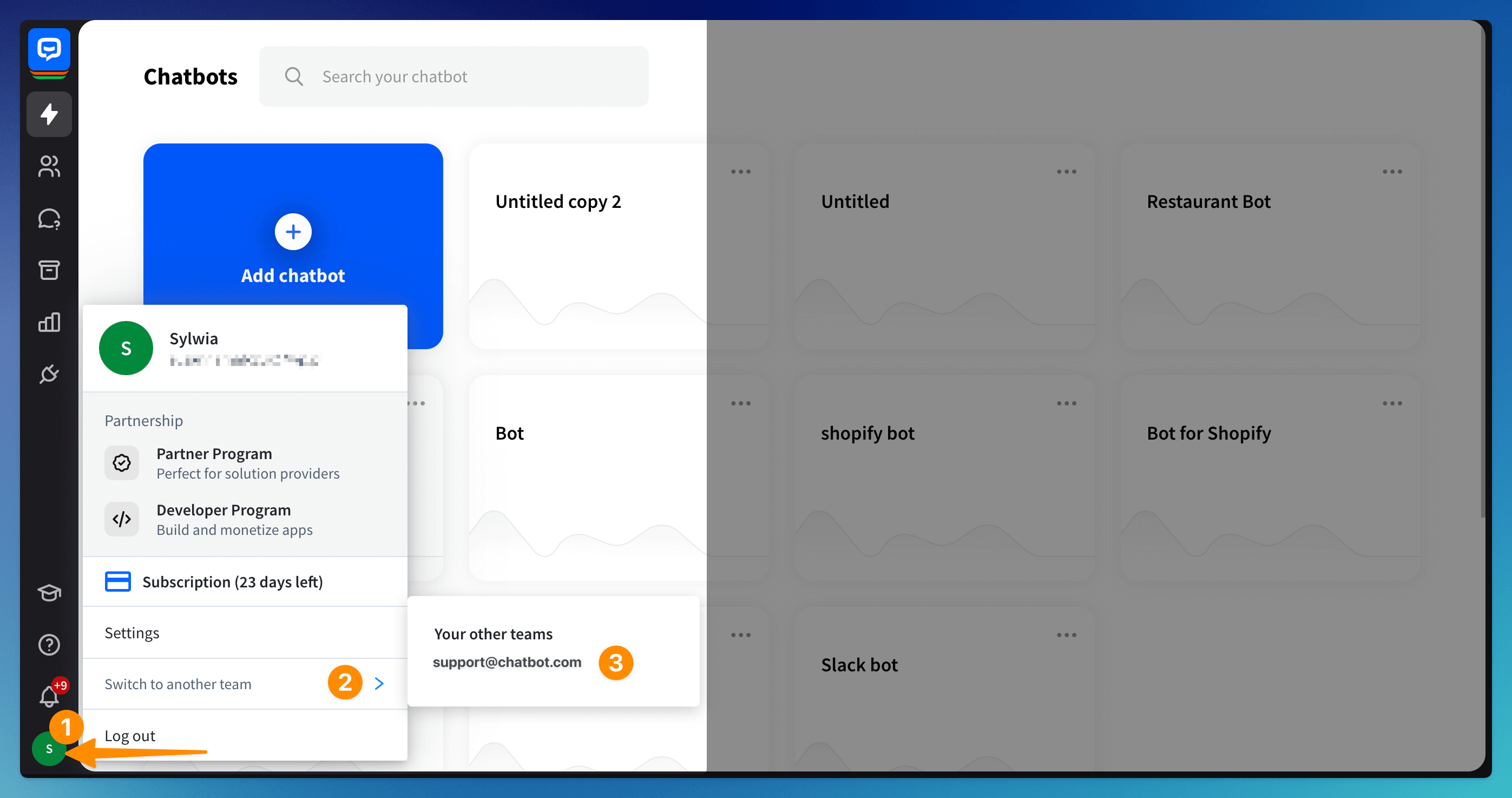 You will be transferred to the other account instantly.
Read more: